
HP Original Toners

Spares
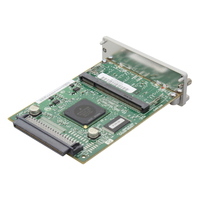
HP Designjet 510 Printer
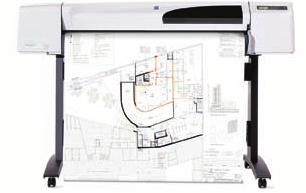
Affordable standalone printer for small studios
The Designjet 510 is the successor to HP's very successful Designjet 500 series of printer / plotters. It is very similar to its predecessors in appearance and specification but has a larger memory and faster print.
There are four basic models - 24 and 42 inch
- CH336A 510 24 inch A1 capacity
- CH337A 510 42 inch A0+ capacity
- CJ996A 510PS 24 inch capacity
- CJ997A 510PS 42 inch A0+ capacity
The two printer widths both come with or without PostScript giving the "PS" models. PostScript is actually supplied as a software RIP for PC or Mac.
The basic aim for these printers is to allow smaller studios and engineering professionals to bring large-print production in-house where they might previously have outsourced the job to a print shop.
Control:
Front LCD Panel with menu buttons. There is a power switch with indicator on the left hand side of the printer. 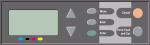
Duty Cycle:
There are no stated throughput or duty-cycle figures but the Designjet 510 is intended for occasional use in a small office producing several prints per day.
Continual use will mean frequent need for maintenance kits (or at least belts and absorbers) and it may be more economical to buy a machine with larger cartridges.
Infrequent use is also a problem with ALL inkjets. Printheads malfunction if they are left idle for prolonged periods.
Print Speed:
Print speed: D-size (roughly A1) line drawings in 55 seconds on plain media in fast mode (increased speed over the Designjet 500 which produced the same sort of material in 90 seconds.) There is the usual trade-off between print speed and resolution with 150×150 dpi poster quality material printing quickly and 2400×1200 dpi photo quality taking much longer. A1 images in best mode on gloss paper can take more than 16 minutes.
Print Resolution:
The Designjet 510 offers an improvement over the Designjet 500 with a 2400×1200 photographic mode.
- Excellent line quality and technical Imaging
- Maximum resolution: 2400 × 1200 optimised DPI on glossy photo paper
- Great for schematics, renders and presentations<
There are two different print modes
- - optimized for Line Drawing and Text - ranges from 300×300 dpi fast mode to 1200×600 best mode
- - optimized for Images - ranges from fast mode 150×150 rendered resolution to 2400×1200
Print quality settings range across Fast, Normal, Best(Default) and Best (Maximum Detail).
The user guide says: "delivers excellent line quality with a true resolution of 1200×600 dpi, using HP's color layering technology, which deposits inks of multiple colors in a single drop on coated paper. This excellent line quality is achieved due to the fact that each half-inch/12.7mm printhead contains 304 nozzles, producing miniscule 18-picoliter black pigmented ink drops and four picoliter color dye-based drops, that are ideal for engineering and architectural applications. The printer also delivers ultimate photo quality for renders and photographs, providing continuous tones and smooth transitions."
The Designjet 510ps includes and Adobe PostScript 3 RIP implemented as software which imitates the behaviour of offset printing presses and supports PANTONE tables for Windows and ColorSync 3.0 for Mac OS.
Paper Handling:
Roll or sheet paper up to 24 or 42 inches wide (1066.8 mm) Paper is specified using the control panel when it is loaded. The user manual has a substantial section on paper types which can make a substantial difference to the quality of print and the the printers capacity to feed properly.
Feed Paths:
Single sheet feed, roll feed, automatic cutter (cuts all HP media except canvas)
Paper Types: Bond and coated, technical, film, photographic, proofing, self-adhesive, banner and sign, canvasSize:
24-in models: 5.5 x 5.5 to 24 x 74.7 in (140 x 140 to 610 x 1897 mm) sheets, 18 to 24 in (458 to 610 mm) rolls
42-in models: 5.5 x 5.5 to 42 x 74.7 in (140 x 140 to 1067 x 1897 mm) sheets, 18 to 42 in (458 to 1067 mm) rolls
Max. roll diameter 100 mm (3.9 in )
Max. roll length Unlimited (depends on media thickness)
Maximum Print Length - 30 metres / 150 ft.
Processor:
Not known at present. The printer is primarily controlled by the PC so perhaps it isn't very important
Memory:
Memory Standard: 160 MB
Maximum: 416 MB
Additional memory can be added to the HP-GL2 Accessory Card. The user manual says "You can add 256 MB (part number CH654A) of memory for large-file processing and improved printing. "
Interface:
- USB 2.0
- Parallel,
- Optional: HP Jetdirect EIO Print Server in slot.
Network:
The printer can take a Jetdirect Ethernet 10/100 base TX print server in the EIO slot.
Network Protocols:
As per the spec for the Jetdirect used.
Print Languages:
The basic printer has:
- Languages: HP-GL/2, HP RTL, and HP PCL3-GUI (for Mac OS X Only)
- Drivers: Microsoft Windows, Mac OS X
- The 510PS printers have Adobe PostScript 3 which gives adaptabliity and better offset-litho emulation.
RTL is Raster Transfer language - an HP language for transfering bitmap and suchlike images
HP-GL2 is HP's standard graphics language for transfering vector data to printers and plotters
System Compatibility:
The printer comes with Widows and Mac OS X drivers and printer-dedicated RIP software . Linux CUPS provides drivers for the Designjet 500 and the 500ps. HPLIP may provide better facilities (untested).
Power:
Research Needed.
Power Consumption:
--
Dimensions:
Printer:
24-in models: 49×19×14 in (1253 x 470 x 349 mm)
42-in models (with stand): 67×27×43 in (1690×674×1,100 mm)
Shipping:
24-in models: 60.6 x 25.4 x 29 in (1540 x 645 x 737 mm)
42-in models (with stand): 77.8 x 25.4 x 38.5 in (1975 x 645 x 978 mm)
Weight:
Weight:
Printer:
24-in models: 85.3 lb (38.7 kg)
42-in models (with stand): 99.6 lb (45.2 kg)
Shipping:
24-in models: 134 lb (61 kg)
42-in models (with stand): 232 lb (105 kg)
Acoustic Noise:
--
Consumables:
The ink subsystem has two components: printheads and ink cartridges. The printer uses the following ink supplies:
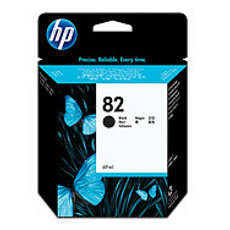
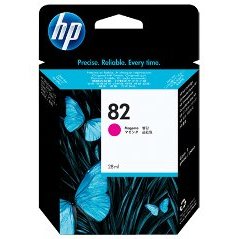
• Black ink cartridges are HP No 82 supplies.
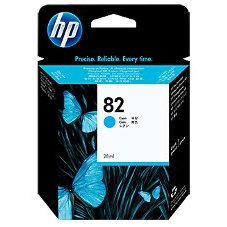
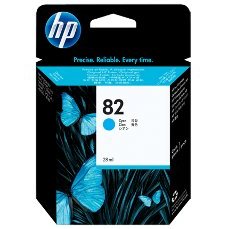
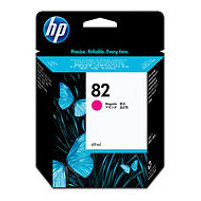
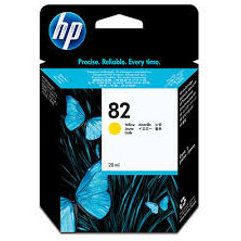
• Cyan, magenta and yellow cartridges are HP No 82 supplies. They are available in 28 and 69 ml sizes.
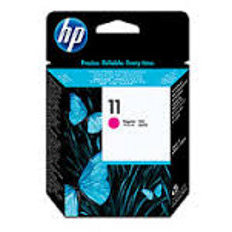
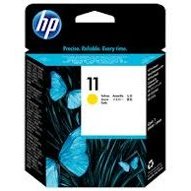
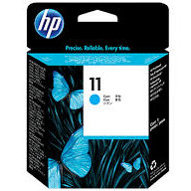
• All printheads are HP No 11 supplies.
Other features:
- 4 color (CMYK) dye based color
- Pigmented Black,
- Technical papers and films, bond and coated papers, photographic paper, plus select durable and speciality printing materials
Each 600-dpi thermal inkjet printhead applies thousands of ink droplets onto the paper. The printer automatically refills the printhead as it prints, enabling continuous uninterrupted printing. The ink is supplied to each printhead from a separate ink cartridge. Ink cartridges have a large size compared with conventional home and office printers although some Designjet cartridges have capacities to 500ml and beyond.
Printers are supplied with a set of four setup printheads which are use to prime the supply tubes in the ink delivery system. The setup printheads should not be removed until the setup procudure given in the "Assembly and Setup" poster has been followed.
The printer displays a graphical images of missing, end-of-life, faulty, ink level used and empty cartridges.
A similar set of graphical images shows defects with the printheads. The printer can also display the model, warranty status, expiration date, serial number and Number of CCs used for each printhead and whther they are aligned and color-calibrated.
Ink cartridges:
Color HP supply no.  Capacity  HP part number

 Black    82     69 ml      CH565A

 Cyan     82     69 ml      C4911A

 Magenta  82     69 ml      C4912A

 Yellow   82     69 ml      C4913A
 Black 82 69 ml CH565A
 Cyan 82 69 ml C4911A
 Magenta 82 69 ml C4912A
 Yellow 82 69 ml C4913A
Printheads:
Black     11     C4810A

Cyan      11     C4811A

Magenta   11     C4812A

Yellow    11     C4813A
 Black 11 C4810A
 Cyan 11 C4811A
 Magenta 11 C4812A
 Yellow 11 C4813A
Errors and Bugs:
There is a substantial troubleshooting section in the Users Guide supplied with the printer. The first steps are always to ensure that the correct paper is set. There is then a troubleshooting section in the Ink Menu which covers:
Printhead alignment. Color alignment and Advanced calibration. Ink supply problems. Unknown printhead problems, paper jams
The printer also maintains a printhead log with a list of the last five printheads and their use and an error log with date, error code and error type. Normally this information is used by service technicians.
Maintenance Kit:
--
Whats In The Box:
HP Designjet 510 Printer, printer stand and media bin (42-in models only), spindle, printheads (4 x 1 color), introductory ink cartridges (x4), quick reference guide, setup poster, doc and drivers CD, customer service guide, power cord.
Warranty:
- One Year Next Day On Site Warranty
Spares:
cog 1
cog 2
cog 1
cog 2
 Buy Spares
Service:
HP make installation options and a warranty extension available
Options:
Stand, media bin (standard on 42 inch model) spare spindles and memory upgrades
Memory
CH654A 256 MB RAM. According to the manual the memory expansion module is: SODIMM PC2700 333 MHz 256 MB DDR CL = 2.5
Network
J7934A HP Jetdirect 620n Fast Ethernet (supported for the Designjet 510 but NOT for the 510ps)
J7997G HP Jetdirect 630n IPv6 Gigabit Ethernet
J7961A HP Jetdirect IPv6/IPsec Gigabit Ethernet
Spindles
C2388A 610 mm - 24 inch
C2389A 1067 mm - 42 inch
Stand
The 42 inch models come with a stand. A stand is optional for the 24" models
C7782A Stand 610 mm - 24 inch
Copyright G Huskinson & MindMachine Associates Ltd 2012