
HP Original Toners
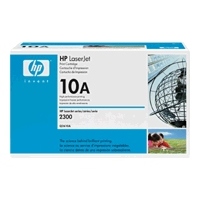
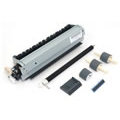
Maintenance Kit
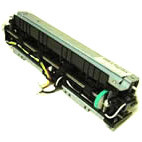
Fuser
Spares


HP Laserjet 2400 Series
HP LaserJet 2400 Series. (2410, 2420, 2430)
Fast, robust workgroup mono laser printer series with speeds in the 25-35 page per minute range. There are 10 models altogether:
- 2410 - Q5955A - 25ppm, Tray 1+2, 32MB RAM to 288MB Max
- 2420 - Q5956A - 30ppm, Tray 1+2, 48MB RAM to 304MB Max
- 2420d - Q5957A - 30ppm Tray 1+2, Duplex, 48MB RAM to 304MB
- 2420n - Q5958A - 30ppm Tray 1+2, Ethernet, 48MB RAM to 304MB
- 2420dn - Q5959A - 30ppm Tray 1+2, Duplex, Ethernet, 48MB RAM to 304MB
The 2430 is faster - 35ppm tray Tray 1,2 +3, Ethernet, 48MB RAM to 304MB
- 2430 - Q5954A - 35ppm
- 2430n - Q5964A - 35ppm with network
The "t" models have a 500 sheet tray underneath.
- 2430t - Q5960A - 35ppm Tray 1,2 +3, 48MB RAM to 304MB
- 2430tn - Q5961A - 35ppm Tray 1,2 +3, Ethernet, 48MB RAM to 304MB
- 2430dtn - Q5962A - 35ppm Tray 1,2 +3, Duplex, Ethernet, 48MB RAM to 304MB
HP literature only tends to mention 7 models, omitting the 2410, 2430, and 2430n for some reason.
The design has proved very successful and continues to date in the LaserJet P3005 and M3027 MFP.
See the M3027 MFP for a similar engine with a scanner for use as a copier.
Control:
All models have a 2 line LCD panel with menu select buttons and LED status lights. Network models have an embedded web server.
Duty Cycle:
Maximum duty cycle recommended as 2420 -75,000 pages per month. 2430 100,000 ppm. As usual with HP duty cycle figures these are much higher than the printer would.
Print Speed:
Most models print at around 30 pages per minute. The 2410 is slightly slower at 25 ppm. The speeds cited are HPs figures for letter paper; A4 prints about 1 page per minute slower. Since print-speeds are system and job dependent that scarcely matters.
Print Resolution:
Print resolution up to 1200x1200 real dpi. HP ProRes 1200 Resolution Enhancement technology (REt)
Paper Handling:
A4 and letter media sizes. Multifunction tray + 250 sheet tray standard. "T" has extra 500
Tray 1:All models have Tray 1 as a drop-down multifunction tray for media from 3x5 to 8.5x14 inches (76x127 to 215x356 mm). It holds up to 100 sheets
Tray 2:All models have tray 2 as a slide in 250 sheet tray for standard media - A4 or letter.
Tray 3:The LJ 2430 "t" models have an extra 500 sheet tray bringing their total paper capacity to 850 sheets
Face Down:
By default paper output goes to a face-down tray recessed in the printer top.
Duplex:
An Automatic Duplex unit is present on "D" models.
Processor:
All models have a 400MHz processor
Memory:
All models except the LJ 2410 have 48MB built in and are expandable to at least 288MB -sometimes 304MB or 320MB. Memory slots are 2 x 100 pin DDR SDRAM DIMM slots. There are 2 x Compact Flash slots.
Interface:
Interfaces: All models have a USB 2.0 port and an IEEE 1284-B parallel port and one open EIO port.
Network:
Network ready models have the JetDirect Fast Ethernet print server implemented on the formatter board, leaving an EIO slot available for other options.
JetDirect cards recommended are the:
- J7934G , HP JetDirect 620n internal print server - 10BaseT and 100BaseTX
- J7960G , HP Jetdirect 625n internal ethernet print server - 10BaseT and 100BaseTX or 1000BaseT
- J7961G, HP Jetdirect 635n IPv6/IPsec Print Server - 10BaseT and 100BaseTX
Print Languages:
HP PCL 5e, PCL 6, HP PostScript level 3 emulation.
System Compatability:
Interfaces: All models have a USB 2.0 port and an IEEE 1284-B parallel port and one open EIO port.
Power:
Models for 100 to 127VAC and 220 to 240VAC.
Instant on fuser gives first page out in under 10 seconds and saves power. Duplex models help save paper.
Power Consumption:
Off, 0.4 Watts. Powersave 8.5 Watts. Standby 11 Watts. Printing 625 Watts.
Dimension:
Base model 260x400x425mm
weight:
16.3Kkg
Consumables:
Uses a single-piece cartridge with toner, developer, imaging drum and waste receptacle all integrated into one unit.
Q6511A HP Black Cartridge. Yield 6000 pages. Q6511A
Q6511X HP 11X Black Cartridge. Yield 12,000 pages. - Q6511X
Silver Reed SI5001B cartridge for the Laserjet 2410/2420/2430 Q6511A. Black Toner Cartridge (With Chip) SI5001B. Replaces OEM Code Q6511A.
Silver Reed SI5001C for the HP Laserjet 2410/2420/2430 Q6511X. Black Toner Cartridge PLUS (With Chip) SI5001C. Replaces OEM Code Q6511X.
Fuser:
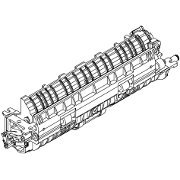
The fuser is a subassembly which adheres dry toner to the page using a combination of heat and pressure
RM1-1535-000 Fuser Assembly 110 Volt - RM1-1535-000 (Normally used in the US)
RM1-1537-050 Fuser Assembly 220 Volt - RM1-1537-050CN, Fits Printers HP LJ 2420/2420d/2420dn/2430/2430n/2430tn/2430dtn
Changing the fuser on this printer is fairly straight forward.
- remove the paper tray and print cartridge (put the cartridge in a dark place)
- Remove the back cover and the I/O Cover.
- Remove the fuser cable cover at the right of the fuser.
- Remove the duplexer inlet guide at the bottom of the fuser.
- Remove the cables running at the left of the fuser to the power inlet and to the right of the fuser near the white cog.
- Remove the four screws holding the fuser in place - they are at the four corners of the assembly.
- The fuser needs to be tilted back slightly to slide out of the back of the printer.
Pictures of the procedure are in the service manual
Note that there is a known issue with LJ-2400 and P3005 fuser gears wearing out. The bushing that supports the pressure roller wears away making a little heap of ground material on the fuser metalwork and wearing at and damaging the fuser drive gear. When the fuser is replaced the new fuser gear sits in the correct position but does not mesh as well with the old gear. The machine now makes a grinding noise. It isn't the new fuser that is wrong, it is the old gear. See the section "Bugs" below. the gears are availble in the catalog .
Spares:
Spares are readily available for the 2400 series printers at the moment (September 2013)
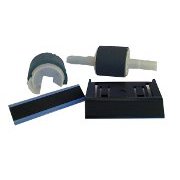
Repair Kits and Roller
HP Laserjet 2400/2420/2430 Paper Feed Repair Kit (single cassette model). Contains: Tray 1 Separation Pad RC1-0939, 'D' shaped Tray 1 Roller RL1-0568, Tray 2 Separation Pad RM1-1298, Tray 2 Roller RL1-0542
HP Laserjet 2400/2420/2430 Paper Feed Repair Kit (twin cassette model). Contains: Tray 1 Separation Pad RC1-0939, 'D' shaped Tray 1 Roller RL1-0568, 2 x Tray 2 Roller RL1-0542, 2 x Tray 2 Separation Pad RM1-1298
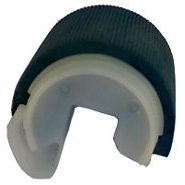
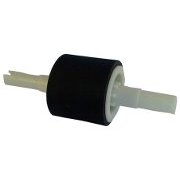
RL1-0568 Tray 1 Pickup Roller for HP 2420 - RL1-0568-000CN
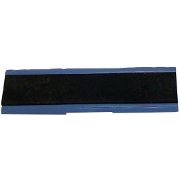
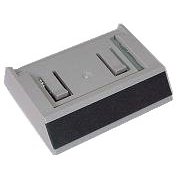
RC1-0939 Tray 1 Separation Pad - RC1-0939-000CN
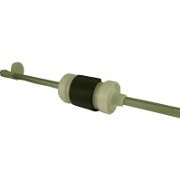
RL1-0542 Tray 2 Pickup Roller for HP 2420 - RL1-0542-000CN
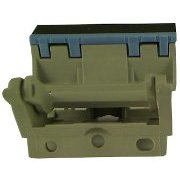
RB2-6349 Tray 2 Separation Pad (LJ2430) - RB2-6349-000CN
RM1-1481 Paper pickup assembly - Tray 2 paper pickup assembly RM1-1481-020CN
RM1-1298 Separation Pad RM1-1298-000CN
RM1-1508 Transfer Roller for HP 2420 RM1-1508 000CN
Cogs
RM1-1500-000CN Fuser drive side plate assembly. Drive gear assembly and mounting plate for fuser. Located on the right side of printer. Cogs associated with this plate but not included are:
RU5-0377 - 21 tooth gear
RU5-0378 - 20 tooth gear
RU5-0379 - 19 tooth gear
See "Bugs" below for a brief outline of why and how to replace these cogs.
Electronic Components
RM1-1524, Engine Controller - RM1-1524-100CN
Q6507-61005, Network Main Board (LJ2420/2430) - Q6507-61005
Q6508-61005, Main Logic board Non Network (LJ2420/2430) - Q6508-61005
RM1-1521, Laser Scanner Unit - RM1-1521-030CN
RK2-0573 Cooling fan - Fan FM2 - Located on lower left side of printer RK2-0573-000CN
RK2-0571 Cooling fan - Main cooling fan FM1 - Located in lower right front side RK2-0571-000CN
RM1-1519, Control panel assembly - Control panel mounted on top right corner of printer RM1-1519-000CN
Paper Trays
RM1-1486 250 Sheet Cassette Paper Tray for HP Laserjet 2410/ 2420 (Now RM1-1486-090CN was RM1-1486-030CN). This is the pull out cassette that the paper is loaded into. It Does NOT include the paper feed base assembly.
RM1-1553, 500-sheet paper input tray cassette - Optional tray 3 - For HP Laserjet 2400 series printers - Holds Letter, A4, Legal, A5, B5, Executive and 8.5 x 13-inch paper sizes, RM1-1553-060CN
RB2-6474. 500-sheet separation pad. This is the small rectangular rubber pad on front of cassette arm - Not the one on metal lifting plate. RB2-6474-000CN
Bugs:
The LaserJet 2400 has a few faults.
There is a tendency for these printers to turn noisy. For instance there is a nasty noise like a chainsaw that comes from the back of the printer and is clearly related to the fuser. People sometimes change the fuser and the noise may go away, but unfortunately it might return. The noise may even get worse because the problem lies with the cogs.
In practice the problem is to human ears it doesn't seem to do great harm the printer.
The problem seems to be that the fuser drive gear is very close to another that turns in the opposite direction, and the gear teeth can catch one another. HP technical support seem to have recommended adding grease to the gears as a solution.
A practical fix that a lot of engineers have found is to change the angle of the fuser slightly, backing it away by putting a spacer washer in between the fuser screws or round the guide peg on the gear side. (Search for Parts Now "Service Today April 2008, Vol 17, Number 3 HP LaserJet 2400 Grinding Noise" for a brief guide to their theory on what is wrong and how to fix it.)
If the fault is worse and there is gear damage then the drive gears or even the whole "fixing drive side plate assembly" will have to be changed.
The gears are easy: the parts are: RU5-0377 - 21 tooth gear, RU5-0378 - 20 tooth gear, RU5-0379 - 19 tooth gear. They are available as spares and individually changeable. (Note carefully which cog came from which shaft, it is possible to get them the wrong way round.
These mount in a little cluster above the fuser and clip onto their respective shafts. They and the fuser gear are most likely to be worn.
The bottom gear is part of the fixing drive side plate assembly so replacing it is more work.
Remove the side cover, control panel, formatter and the engine control unit (ECU). The power switch link is a pain to reassemble so note how it is connected.
Remove the main drive assembly. Secure the large cog that remains on the side of the printer with sticky tape since is is difficult to reposition if it falls off.
To remove the fixing drive side plate assembly first take off the tabbed lose gears. The assembly and it's gears are held by 5 screws.
(Liberty Parts have a guide on how to do this The title is "HP LaserJet 24xx: Gear Noise Solution" and the filename seems to be ta2400gnoise_long.pdf)
Options:
Optional trays may still be available for these printers. In January 2010 the distributors were listing trays but only had stock of refurbished units.
250 sheet cassette, replacement for the slide in tray. - RM1-1486-090CN
Q5963A 500 sheet input tray - 100-sheet paper input tray assembly. Optional Tray 3 - For HP Laserjet 2400 series printers - Holds Letter, A4, Legal, A5, B5, Executive and 8.5 x 13-inch paper sizes. Q5963A also known as Q5963-6790 (Discontinued)
Copyright G & J Huskinson & MindMachine Associates Ltd 2013, 2015. Some pictures derived from HP User and Service guides. These technical pages do not constitute an offer for sale; just our knowledge at the time of writing. See the catalog. Sales pages on this Web site use cookies to store user information. We also use Google Analytics to track site usage patterns.