
HP Original Toners
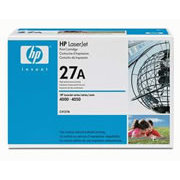
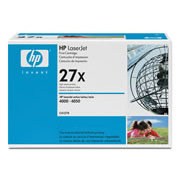
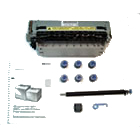
Maintenance Kit
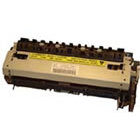
Fuser
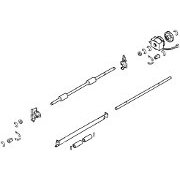
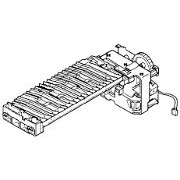
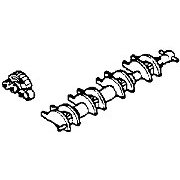
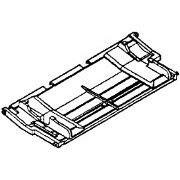

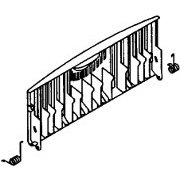

HP Laserjet 4000 Printer
The HP LaserJet 4000 is a mono laser printer aimed at office use. It has 16 page per minute throughput so it can manage the needs of medium sized workgroups. It also has 1200dpi resolution so good photographic source material reproduces quite well.
To develop the LJ4000 HP built on the success of the LaserJet 4+ and LJ5 with the Canon EXII engine. The printer looks similar to the LJ 5 with a few cosmetic enhancements. Technically it's quite a different machine - faster and with double the print resolution, a bigger paper tray, and the network and storage options that come with EIO slots. The engine in this case is equivalent to the Canon LBP-1760 and other printers with an EP-52 cartridge such as the Brother HL-2460.
Although the design of the LaserJet 4000 dates back to 1998 it hasn't been greatly surpassed. More recent printers can be 3 times as fast at the same price-point - but unless you're providing a print on demand publishing service that kind of speed often isn't an issue. More recent printers do come with more base memory so they may be less troublesome with pictures and PDFs - and of course people do like colour. One of the big benefits of the LJ4000 is that its black only print is economical to run.
There are four configurations:
- LaserJet 4000 - C4118A - Base model. A4, 4MB RAM 1200dpi Large 500 sheet tray.
- LaserJet 4000n - C4120A - Network model - otherwise as above.
- LaserJet 4000t - C4119A -Dual Trays 250 sheets each - reduces the need to swap paper between trays
- LaserJet 4000tn - C4121A -Dual 250 sheet tray Trays and the network
There is also an LJ 4000se - C3094A - it isn't much mentioned in HP documentation.
Options include a duplexer, hard disk and envelope feeder but these weren't mainstream requirements at the time the LaserJet 4000 was marketed.
Successors were the LJ4050, then the LJ4100. The design proved successful so it evolved to give higher speeds.
The LaserJet 5000 (C4110A) looks similar and it is. It's got a wide paper path to take A3 paper so most of the major components are different. But the principles are the same.
Product Value
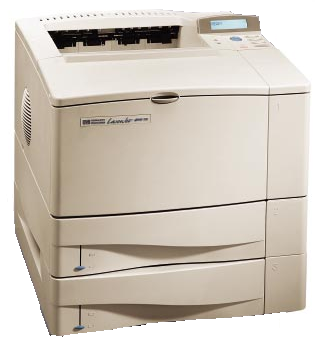
Anyone thinking of buying parts to repair a printer wants to know whether it is worthwhile. The LJ4000 is available on the "refurbished" market and with a new fuser and cartridge it might be good value. Research in January 2010 suggested an ebay buy-it-now price of 30.00 or so - much less than the price of a replacement fuser but of course the "refurbished" machine won't have a new fuser - and that is the critical part.
New but basic mono printers are available for about 65.00 - the Epson M1200 for instance. The Aculaser M1200 has quite a high toner life for a low cost printer at 3,000 pages.
When compared to new low-cost printers the LJ 4000 offers the following features:
- Larger lower cost HP original toner cartridges lasting either 6,000 or 10,000 pages and a wide choice of lower cost clone and refurbished toners. The cartridge is not "chipped".
- One or two large trays giving workgroup sized paper capacity.
- Easy repair of most faults - the rollers and the fuser are easy to change.
- An LCD control panel that is fairly easy to use - not just some obscure LED indicators.
If you already have the printer installed and it working satisfactorily, it is always easier to deal with the devil you know than have to install a new printer.
Today's descendants of the LaserLet 4000 are the:
- LJ P4014n (CB506A) which can be bought online for between 450 and 600 ex VAT
- LJ P4015n (CB509A) which can be bought online for between 700 and 900 ex VAT.
The M4345 MFP is a similar machine with multifunction abilities.
The benefits of the newer printers are:- a print speed of 50 pages per minute, full speed operation at 1200dpi and larger memory. Even full page photographs and bitmapped PDFs will print quickly on these new machines. For most business purposes the Laserjet 4000 are likely to remain adequate for a while.
Control:

2 line backlit LCD display for menus, prompts and options. Ready, Data and Attention LEDs
Buttons for Menu, Item, Value and Select. Go Button and Cancel Job Button.
The overall scheme is a great improvement on the LJ4 and might just about count as intuitive.
As well as the LCD there are Ready, Data and Attention LEDS and Buttons for Go, Cancel Job, Menu, Item, Value and Select.
The Printer can very easily produce a one-page menu map. Use the menu button to select the information map, print menu map and press select.
The network models have a JetDirect 600n which also provides some information across the network. Unfortunately the 600n is java obsessed and the information given is mainly useful to network engineers - not for printer administration.
Duty Cycle:
As usual HP suggests 65,000 page per month volume estimate is higher than likely use - it does illustrate that this is quite a robust printer.
Print Speed:
Up to 16 pages of A4 per minute (17 ppm with letter).
First page out in less than 15 seconds with instant-on fuser.
However note that true 1200x1200dpi is at half speed.
Print Resolution:
Up to a true 1200 dpi. Actually 300, 600 or 1200dpi. HP "FastRes 1200" provides "1200-dpi quality at engine speed" and without generating excessive network traffic or using more printer RAM.
HP "ProRes 1200" gives true 1200 dpi at one half engine speed. There are 220 levels of gray and REt enhancement uses this to improve the look of pages.
Paper Handling:
It's basically an A4 / letter office printer.
Tray 1:is a drop-down multifunction tray on the front of the machine. There is a straight through path from tray 1 to the face-up flap at the rear of the printer for heavier media and to give curl-free printing. Media sizes from 3x5 inch to 8.5x14 inches. Weights 60 to 200 gsm.
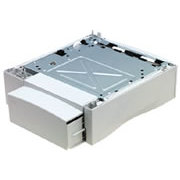
Tray 2:is a sliding cassette under the printer. On the basic models tray 2 holds 500 sheets but on the "t" models it is replaced by two 250 sheet trays. Optionally the base model can take an additional 500 sheet universal tray Part C4124A.
Duplexer:
There is also an optional duplexer part number C4123A
Processor:
100MHz RISC processor (a 3 fold improvement on the LJ5)
Memory:
4MB basic expandable to 100MB HP "MEt" compresses the amount of memory needed to render a page allowing most to complete with just the basic 4MB. The base model has 3 open 100-Pin DIMM slots. Optional 2 and 4 MB Flash DIMMS allow extra fonts, forms and signatures to be stored. A 1GB disk can be fitted in an EIO slot.
Equipped with at least 8MB of memory the printer has a RIP-Once ability - it can print multiple copies of a page without the processing time to recreate the raster image.
Interface:

Parallel (IEEE-1284-B bidrectional (ECP)) Serial (RS232) 2 x EIO slots - one occupied on "n" models.
There are also JetAssist for 3rd Party paper handling accessories. JetSend allowing direct communication from scanners to printers without using the PC as an intermediary.
Network:
The 4000n and 4000tn have a JetDirect 600n Ethernet / LocalTalk card installed in an EIO slot, providing connectivity and JetAdmin. HP's drivers also support "Oil Change" automatic driver update.
Print Languages:
HP PCL5e, HP PCL 6, and PostScript 2 Emulation. Automatic interface and language switching.
System Compatability:
Microsoft DOS, Windows 9x, NT4, IBM OS/2. HP-UX and Solaris. Postscript allows printing from others.
Power:
110 and 220 Volt Models. Fast warm-up. First page out in less than 15 seconds with instant-on fuser.
Dimensions:
Basic printer - 346x390x493 mm
Consumables:
There are two versions of the toner: a 6,000 page yield basic cartridge C4127A and a 10,000 page cartridge C4127X. The quoted yields are for 5% page cover.
C4127X - HP "UltraPrecise" toner cartridge, yield 10,000 pages - C4127X
C4127A - HP "UltraPrecise" toner cartridge, yield 6,000 pages - C4127A
SI1020 - Silver Reed Black Toner Cartridge (C4127X) - SI1020
SI1072 - Silver Reed Black Toner Cartridge Plus (C4127X) - SI1072
Maintenance Kits:
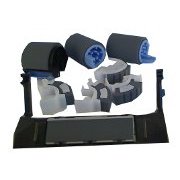
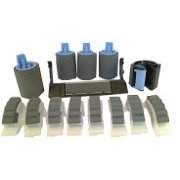
A maintenance kit provides both a fuser and a set of paper handling rollers. The printer will say "PERFORM PRINTER MAINTENANCE" periodically on the LCD display when it has done 150,000 pages - at some point in the near future it will need a new fuser and paper handling rollers. These parts are provided in the maintenance kit . The fuser and roller kits are also available separately.
C4118A - Maintenance Kit - C4118A - Contains HP Genuine Parts - 220V fusing assembly, transfer roller, six pickup/separation rollers, MP Tray/Tray 1 pickup roller, vinyl gloves, and instruction guide.
Fuser:
The fuser unit in the printer adheres toner powder to the paper using a combination of heat to soften the toner and pressure to adhere it to the medium. This was one of HP's first fusers using an instant-on heated foil top roller instead of an aluminium tube and lamp. Life on the fuser can be of the order 200,000 pages - however the printer will prompt for maintenance at 150,000 pages.
RG5-2662 - Fuser Unit (200/240v) - RG5-2662-500CN
C4118-69011 - Fuser Unit (110 V) - C4118-69011was formerly RG5-2661 Used in the LaserJet 4000, (and in the N and TN variants and the 4050 and its N and TN variants)
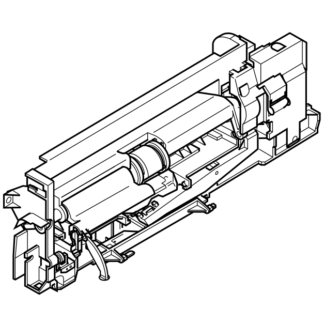
HP fusers are fairly easy to replace in the Laserjet 4000. The fuser is midway down on the rear of the printer, just above the paper tray. The fold down face-up output tray at the rear needs to be completely removed - it is held in place by a plastic pivot on either side. If the machine has a duplexer it has to be removed. If not there are two small plastic covers just below this that pull away revealing two screw heads recessed in a plastic cover. Unscrew these until they are slack. The fuser now needs a gentle tug to disengage it from its slide in plug and comes out in one piece.
To replace the fuser reverse the procedure. Make sure that the fuser goes thoroughly home then tighten the screws and replace the bits of plastic.
Refurbished fusers and maintenance kits are also available for this printer at a markedly lower price. However please note that refurbished kits tend to raise more issues and they don't come with instructions. Where a user is reliant on a printer we would recommend purchasing an HP original fuser unit.
If the fuser and rollers have been replaced, clear down the "PERFORM PRINTER MAINTENANCE" message. This is done in the configuration menu - select Maintenance Message =Off, Press Select and an asterisk appears. Then press Go.
Spares:
This kind of printer is of the type that could be kept going for ever with a supply of spares. As at January 2010 most spares are still available even though the printer is more than 12 years old.
RG5-4291 - Upper Fuser Roller / heating element and film sleeve - RG5-4291-000CN replaced by RG5-4291-100CN for the LJ 4000 and 4050.
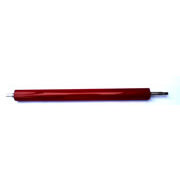
RB1-8794 - Lower Fuser Roller / Pressure Roller - RB1-8794-000CN. HP say order RB9-0684-000CN . Used in the LJ4000 and LJ 4050.
Dismantling and rebuilding a fuser to replace the rollers needs some patience and perhaps experience or guidance. It should save money for people working on a tight budget but reassembly needs to be done exactly right.
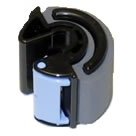
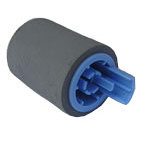
RG5-3718 - MP Tray 1 Pickup Roller. D Shaped roller with blue lock latch. RG5-3718-000CN. Used in the LJ 4000, 4050, and 4100 and their N and TN variants. Remove the envelope feed cover, unlock the latch and it lifts off.
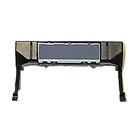
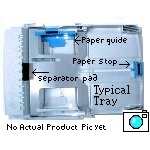
RG5-5281 - Separation Pad Assembly for MP tray 1 - RG5-5281-020CN. Used in the LJ 4000, 4050 and 5000. Fitting this is difficult - see the service manual. Fitting is rarely necessary unless the fold down tray 1 is heavily used.
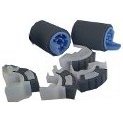
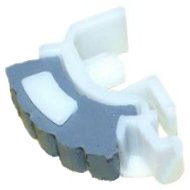
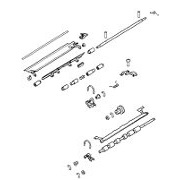
RB1-8865 - Tray 2/3 Pickup Tyre - RB1-8865-000CN. Thin third-circle rollers with grey rubber tyres on white half-moon plastic. Used in fours on these machines, packed in fours but sold individually. These rollers are found inside the printer when the cassette tray is removed. The latch at one end releases the roller from its plastic holder.
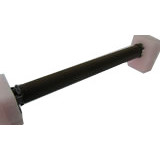
RF5-1885 - Tray 2 & 3 Feed/ Separation Roller - RF5-1885-000CN. Used in the LJ4000 4050 and CLJ 4500 and 4550. One roller is used on the pickup shaft in the printer body and the other in the tray. Pull the little latch to release the roller from its shaft.
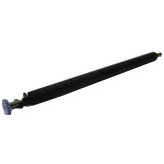
RG5-4283 - Transfer Roller - RG5-4283-000CN. The transfer roller is a long black roller with a blue cog on the left hand side. It is found underneath the print cartridge and is responsible for creating a charge that pulls toner off the photo conductor. The roller lifts out by pulling on the metal end and the cog, try not to handle the plastic of the roller itself as this can damage it's conductivity.
RF5-2760 - Blue Paper Stop for 500 sheet rays - RF5-2760-000CN Used in the LJ4000 and 4050 and variants N and TN
RB1-9045 - Rear Duplex Panel - RB1-9045-000CN Duplex rear cover panel. Used in the LJ 4000, 4050 and 4100 and variants T and TN.
RG5-5372 - Control Panel - RG5-5372
C4126A - 250 sheet replacement tray / cassette for the 4000T and 4000TN (Trays 2 and 3) C4126A
C4125A - 500 sheet replacement tray / cassette for the 4000 and 4000N (Tray 2) C4125A (HP say No Longer Supplied)
Options:
Options and Accessories for the HP LJ 4000 aren't likely to be available in new condition because the printer has not been made in some time.
C4122A - Power Envelope Feeder for 75 Envelopes (fits above tray 1) - C4122A
C4124A - Additional 500 sheet feeder and tray (C8055A also works) - C4124A
C8055A - HP 4100 Additional tray can be used on 4000 and 4050 - C8055A
C4123A - Auto-duplexer to use both sides of the paper - C4123A
For replacement tray cassettes see above
Memory:
The printer takes PC66 (66MHz) 100 pin Dual In-line memory modules (DIMMs or "SODIMM") that can be EDO or SDRAM. Maximum memory using HP DIMMs is 100MB. The same DIMM modules are used in the BIJ 2300
EDO DIMMs
C4135A - 4MB EDO RAM DIMM - C4135A
C4136A - 8MB EDO RAM DIMM - C4136A
C4137A - 16MB EDO RAM DIMM - C4137A
SDRAM DIMMs
C4140A - 4 MB - C4140A
C4141A - 8 MB - C4141A
C4142A - 16 MB - C4142A
C4143A- 32 MB - C4143A
HP compatability lists show the C4143a as replaced by Q7707AX / Q7707-67951 which is a PC100 SDRAM and more common)
There is probably no reason to buy anything other than the largest DIMMs
Flash DIMM Permanent storage for fonts and forms:
C4286A - 2 MB - C4286A
C4287A - 4 MB - C4287A
Font DIMM 8 MB Asian MROM:
C4286A - traditional Chinese - C4286A
C4287A - simplified Chinese - C4287A
C2985A - Hard Disk Permanent storage for fonts and forms. Also used for making multiple original prints.
Copyright G & J Huskinson & MindMachine Associates Ltd 2013, 2015. Some pictures derived from HP User and Service guides. These technical pages do not constitute an offer for sale; just our knowledge at the time of writing. See the catalog. Sales pages on this Web site use cookies to store user information. We also use Google Analytics to track site usage patterns.