
Lexmark Original Toners
Maintenance Kit
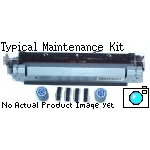
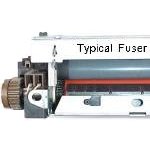
Fuser Unit
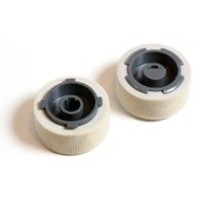
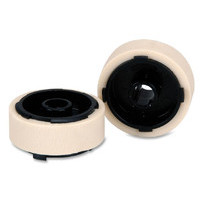
Spares

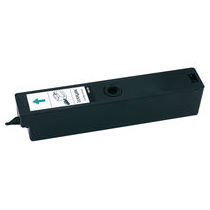

Lexmark C752
Lexmark C752 Printer Family.
C752 Model 5060-2xx. Closely related to the C750 with the same 5060-xxx engine number but uses the same transfer kit as the C760 and C762.
- Lexmark C752, 5060-221, Non-network
- Lexmark C752, 5060-222, Network
- Lexmark C752L, 5060-234, Network
These printers appeared in October 2003, a year after the C750. The specification is not very different its still a 20ppm inline design with a native resolution up to 1200x1200 dpi. Improvements include:
- A significantly more powerful processor and double the ammount of RAM so pages are more likely to print at the rated speed.
- A longer life for the fuser and the Intermediate Transfer Unit.
Lexmark Says:
Print Technology Color Laser
The Lexmark C752 delivers speeds of 20 pages per minute in color and monochrome for complex print jobs. The 500 MHz processor (600 MHz in network models) helps generate the first color page in less than 17.5 seconds and 15 seconds for black. Our high-speed technology will eliminate bottlenecks and waiting for print jobs at the printer. This fast delivery enables your workgroup to be more efficient which saves you money.
Print Quality
The 2400 Image Quality mode is the default setting on the Lexmark C752 printer. 2400 Image Quality produces high print quality while using less memory for faster processing. Sharp business graphics and professional looking documents can now be delivered fast when youre in a hurry. To resolve fine details in your photos and graphics, select the true 1200 x 1200 dpi resolution setting.
Additional Print Quality
The C752 has a toner patch-sensing device that automatically adjusts the amount of toner being delivered to the paper. The skew correction on the C752 detects if the transfer belt is skewed and will straighten automatically. These two features deliver superior color print quality to your documents. Consistent color across a range of media and environments make great print quality easy and affordable.
Ease-of-Use
The Lexmark C752 single-element cartridge packages the toner, developer, waste toner, and photoconductor into one supply. The front loading cartridges are designed to allow easy access to the toner and other supplies. The 15,000* page High Yield Print Cartridges are also offered to reduce the number of user interventions. Changing supplies on the C752 is extremely easy. The process is designed to relieve maintenance burdens by making it much easier and more logical for users to change supply items. (* Yield at approximately 5% coverage.)
Control:
The operator panel is Lexmark's old style with an LCD display and 5 buttons for Menu, select, return, go and stop.
Duty Cycle:
Sources differ on the maximum
The service manual says:
Up to 60,000-page maximum duty cycle based on a single month usage
Up to 4,000-page average monthly duty cycle
Another source says:
85,000 (one-time monthly usage) Pages per month - but really there isn't much dispute here - why would anyone exceed 60,000?
Print Speed:
Print Speed (A4, Black): Up to 19 ppm
Print Speed (A4, Color): Up to 19 ppm
Print Speed (Letter, Black): Up to 20 ppm
Print Speed (Letter, Color): Up to 20 ppm
Time to First Page (Black): 15 seconds
Time to First Page (Color): 17.5 seconds
Notice that despite a substantial increase in processor power and memory the C752 (like the C750) cannot print full resolution at full speed.
Time to first print from power saver mode 120 seconds.
Automatic Calibration
Note that automatic calibration may slightly slow print jobs at times. Automatic calibration happens.
- At power-on
- After eight hours of power saver
- Approximately every 500 pages, at the end of a job
- After changing a print cartridge
- After changing an intermediate transfer unit
Print Resolution:
Black:1200 x 1200 dpi 2400 Image Quality,
Color: 1200 x 1200 dpi 2400 Image Quality
The printer gives "2400 image quality" at full printer speed. 1200x1200 dpi is achieved at half printer speed.
Limiting factor of resolution can be printhead scanner abilities or processor and memory. Since the processor and memory for this printer are much greater than those of the C750 presumably the limitation is the scanner.
The printer darkness settings also affect image quality. There are 5 settings allowing a toner saving of up to 50%.
Paper Handling:
Paper Handling Standard - A4
500-Sheet Input Tray
250-Sheet Output Bin
100-Sheet Multipurpose Feeder
The printer is highly configureable taking:
- A duplex unit and up to 3 extra 500 sheet drawers
- A duplex unit, one extra 500 sheet drawers and a 2000 sheet drawer
Various output stackers and a mailbox
Multifunction Tray:Standard input sources: One 100-sheet multipurpose tray on all models.
Tray 1:Standard input sources: one 500-sheet tray on C750, C750n, C750dn, C750nTR
Tray 2:
Two 500-sheet trays (C750dtn, C750dtnTR)
Maximum input sources: 5
The 2 standard inputs plus 3 additional drawers (500-sheet) C750, C750n, C750nTR)
The 3 standard inputs plus 2 additional drawers (500-sheet) C750dtn, C750dtnTR, One high-capacity feeder 2,000-sheet
Face Down:
Standard output is 250 sheets face down on the printer top.
Options include:
- Optional 5 bin mailbox
- Optional 650-sheet stacker
- Optional 3,000-sheet finisher
Duplex:
Optional duplex unit for two-sided printing
Processor:
500 MHz RISC processor (non-network) or 600 MHz (network version)
100 MHz bus speed
Memory:
Memory, Standard 128 MB
Memory, Maximum 512 MB
Expandable Memory Options Yes
Memory options are 168-pin synchronous DRAM DIMMs (dual in-line memory modules) meeting or exceeding the following specifications:
- 100MHz or greater
- 4KB refresh rate
- Unbuffered, non ECC
- x32
- 3.3 V
Lexmark and other memory suppliers provide 64MB, 128MB, 256MB and 512MB modules.
Additional memory may be required for printing complex pages or high resolution images at 1200dpi
Flash Memory options:
- Memory slot for extra flash or DRAM
- Expansion slot for optional interface cards
- Code expansion slot (application solution firmware cards)
- On-board hard disk interface (for optional hard disk)
Interface:
Standard Ports, Centronics IEEE 1284 Bidirectional Parallel, One Internal Card Slot, USB Compatible with USB 2.0 Specification
Network:
Network model available.
Print Languages:
PCL 6 Emulation, PostScript 3 Emulation, PDF 1.2, 1.3
System Compatability:
Apple Macintosh Operating Systems Supported, Apple Mac OS 8.6 - 9.x, Apple Mac OS X
Power:
Electrical specification for the 110 Volt model
- 110 to 127 V ac at 47 to 63 hertz (hz) nominal
- 99 to 137 V ac, extreme
The manual doesn't give figures for the 220 Volt model
Power Consumption:
Power consumption for the base model is 500 watts average when printing, or 540 watts when printing with all options and add-ons are installed.
With Power Saver turned off idle power consumption is 180 watts. When power saving is turned on consumption falls to 30 watts.
Dimensions:
Size (mm - H x W x D) 528 x 604 x 470 mm
Size (" - H x W x D) 20.8 x 23.8 x 18.5
Weight:
Weight (lbs) 105 lbs
Weight (kg) 47.7 kg
Acoustic Noise:
All measurements are made in accordance with ISO 7779 and conform with ISO 9296.
Lexmark C752(n)
2400 image quality printing - 52 dBA
Idle (standby) - 34 dBA
Lexmark C752dn
2400 image quality printing - 52 dBA
Idle (standby) - 34 dBA
Consumables:
As is normal with colour laser printers there are four colour print units. An Intermediate Transfer Unit (ITU) helps build the images. Toner is removed from the ITU by a second transfer roller. Waste toner is deposited in a separate bottle.
The fuser will also need replacing after 200,000 pages.
The message "88 color Toner Low" indicates that toner is running out. The printer will normally continue to print but after a few hundred pages printing will fade and the colour cartridge has to be replaced.
There is a user settable toner darkness control accessible through the operator panel Print quality menu or through the PostScript driver. Higher number darkness settings increase the darkness and intensity of images - at the cost of using more toner.
15G042K Black Toner Cartridge (15K Yield) - 15G042K
15G042C Cyan Toner Cartridge (15K Yield) - 15G042C
15G042M Magenta Toner Cartridge (15K Yield) - 15G042M
15G042Y Yellow Toner Cartridge (15K Yield) - 15G042Y
Waste Toner Bottle:capacity 180,000 black/50,000 color
10B3100, Waster Toner Collector capacity 180,000 pages black, 50,000 colour - 10B3100
Instructions for changing the waste toner bottle are given in page 116 of the user manual.
Image Transfer Unit:
The printer uses an image transfer assembly (ITU) to build colour images. The image transfer assembly used is the same as that for the C760 and C762 (and different to the 56P1295 for the C750)
56P2848, Transfer Maintenance Kit (ITU with Transfer Roller, life 120,000 pages, formerly 12G6304) -56P2848
The ITU for the C752 has had several product codes
- 56P1537, Intermediate Transfer Unit (Replaced by 56P2847) - 56P1537
- 56P2847, Intermediate Transfer Unit (Replaced by 56P2848) - 56P2847
- 56P1544, Intermediate Transfer Unit Kit (Replaced by 56P2848) - 56P1544
The ITU is accessed by:
- Opening the front cover
- Remove the toner cartridges
- Open the Multi Purpose Feeder all the way
- Raise the ITU release lever and slide the ITU out of the printer.
The ITU should only be placed on a clean flat surface. Never touch the surface of the ITU belt as that will damage it.
"83 ITU Maintenance" is displayed at 120K copies when the ITU Assembly needs to be replaced to maintain the print quality and reliability of the printer. There are two assemblies, the ITU assembly itself and the Second Transfer Roll, in a maintenance kit. Both should be replaced at the same time.
Full instructions on changing the ITU and transfer roller are given on page 118 of the user manual.
The ITU count value can be viewed in the configuration value. The service manual says it cannot be reset unless a new ITU is installed.
In the case of the C752 ITU Alignment instructions are given on p127 of the user manual (page 2-27 of the service manual also gives brief instructions for the 12 point alignment process.
Fuser:
The fuser bonds toner to the paper. When a fuser unit fails symptoms are vertical marks on the page - and examination of the rollers inside the fuser usually shows marks corresponding with those on the page. The fuser is located in the lower right door assembly and is held by two latches at either side.
Be cautious when handling the fuser - it is very hot in operation and remains so for some time.
The fuser used in the C752 is the same as that for the C750
12G6301 115V Fuser Unit for C750, C752 (110-120 Volt 500 Watts) - 12G6301
12G6302 220V Fuser Unit for C750, C752 (220 Volt 500 Watts) - 12G6302
12G6498 100V Fuser Maintenance Kit for C750, C752 - 12G6498
12G6496, 115V Fuser Maintenance Kit - 12G6498
12G6497, 220-240V Fuser Maintenance Kit, yield, 200,000 pg (formerly 12G6306) - 12G6497
The operator panel displays 80 Fuser Maintenance when scheduled maintenance is required. Yield is 200,000 pages. After replacing the kit, the fuser maintenance count must be reset to zero to clear the message.
The same fuser is used in the C750 where is has a life of 150,000 pages and in the C752 where the life is 200,000 pages. No explanation of the extra life in the C752 has been found as yet.
Instructions for changing the fuser with illustrations are given on on page 115 of the user manual ( Or See "Reset Fuser Cnt" section 3-8 of the service manual).
To access the configuration menu
- turn the printer off
- Press and hold Select and Return whilst turning the printer on
- When "Performing Self Test" appears in the display release the buttons
- Select Reset Fuser Cnt from the Config menu to view the count
- Press Return to return to the previous menu or Select to reset the counter to zero.
Fuser Web Oiler Kit
A fuser web oiler upgrade kit is available for machines where a large number of vinyl or dual-web labels are handled. The web-oiler enables prolonged use of labels without sacrificing fuser life.
56P1557, 100 V web oiler upgrade kit, replacement web oiler fuser is 12G6502 - 56P1557
56P1555, 115 V web oiler upgrade kit, replacement web oiler fuser is 12G6514 - 56P1555
56P1556, 220 V web oiler upgrade kit, replacement web oiler fuser is 12G6515 - 56P1556
The web oiler upgrade kit includes an oiler fuser and web oiler.
The printer gives the message "When the 84 Oiler Nearly Exhausted" or "84 Replace Oiler"
12G6545, Web oiler replacement
Other parts are:
56P1558, Web oiler driver board assembly - 56P1558
12G6543, Web oiler index drive assembly - 12G6543
The printer needs is configuration ID changing to show the web oiler fuser kit has been installed
Maintenance Kit:
12G6497, 220-240V Fuser Maintenance Kit, (formerly 12G6306), see Fusers above.
56P2848, Transfer Maintenance Kit (formerly several other codes), see ITUs above.
Spares:
The most used spares are as follows:
12G6303 Secondary Transfer Roller - 12G6303
12G6427 Pickup Assembly - 12G6427
12G6492 Redrive Assembly - 12G6492
56P1534 Transfer Roller - 56P1534
40X0070 Pickup Roller (pack of 2) (Old part number 99A0070) - 40X0070
56P1526 Pickup Assembly 500 Tray - 56P1526
56P1505 Printhead assembly (do not replace more than one printhead at a time) - 56P1505
56P4330 Scanner / Print Head ASM - 56P4330
56P2848 ITU Kit (Unit with Roller, formerly 12G6304 )- 56P2848
56P2847 ITU Assembly - 56P2847
56P1295 Intermediate Transfer Unit - 56P1295
56P1296 Intermediate Transfer Unit with Roller - 56P1295
56P1526 Pickup Assembly - 56P1526
Services:
We are researching repair and service options for these printers.
Options:
The Service manual says
"options are not compatible with any other Lexmark printer. The C752 envelope drawer is not compatible with the C750."
- 500-Sheet drawer - (includes 500-sheet tray and support unit) installs beneath the printer and holds approximately 500 sheets of 20 lb, 75 g/m2 paper. Up to three drawers are supported simultaneously, or an option drawer and high-capacity input tray. All models.
- 500-Sheet tray - for environments with space or budget constraints this can be ordered for special media. This temporarily replaces the standard tray in a 500-sheet drawer and holds approximately 500 sheets of 20 lb, 75 g/m2 paper. All models.
- Duplex option - offers two-side printing. The first option under a duplex option must be a 500-sheet drawer. All models.
- 2,000-Sheet drawer (HCIT) - installs beneath the printer and below any other optional input sources and holds approximately 2,000 sheets of 20 lb, 75 g/m2 paper. Models 221 and 222.
- Output expander - installs above the printer primary output bin to offer an additional output destination. This holds approximately 650 sheets of 20 lb, 75 g/m2 paper. Only one output option above the printer is supported. Models 221 and 222.
- 5-Bin mailbox - installs above the printer primary output bin to offer five output destinations in one option. Each of the five bins supports approximately 100 pages of 20 lb, 75 g/m2 paper. Only one output option above the printer is supported. Models 221 and 222.
- Finisher - offers stapling, hole punching, offset stacking and an additional output bin. Two models are available, a short and a tall one. Hole punching for 2-, 3-, or 4-hole left-edge is available. The single staple position is the upper left corner. The finisher supports up to 3,000 sheets of non-stapled, non-punched media. For stapled media, the output bin supports up to 90 stapled sets or 2,700 sheets. The stapler staples a maximum of 30 sheets per set. Each printer supports one finisher. Models 221 and 222.
- Envelope drawer - installs beneath the printer, and holds approximately 60 envelopes (20 lb, 75 g/m2). Up to three envelope drawer are supported or one envelope drawer and a high-capacity input tray. Models 221 and 222.
Copyright G & J Huskinson & MindMachine Associates Ltd 2013, 2015, 2016. Some pictures derived from Lexmark User and Service guides. These technical pages do not constitute an offer for sale; just our knowledge at the time of writing. See the catalog. Sales pages on this Web site use cookies to store user information. We also use Google Analytics to track site usage patterns.