
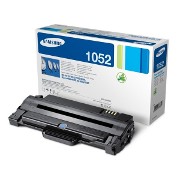
Samsung Toner Cartridge
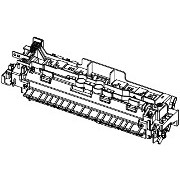
Fuser Unit

Samsung SCX-4600 Multifunction Mono Printer
As well as delivering full multipurpose print functionality - print, copy and colour scan - the SCX-4600 offers a range of features to make you even more productive. Key among these is the Print Screen function, which allows you to print what you see on your screen at the touch of a button.
AnyWeb Print
SAMSUNG's AnyWeb Print software is another useful feature. It allows you to select, drag and drop content from different webpages into a new blank page on screen, without any resizing or other editing. AnyWeb Print is a quick and easy way of pulling information together, and you can save the pages you create either as tiff files or pdfs. They can be printed using the Print Screen button or your normal print menu. So you can quickly and easily print what you see. AnyWeb Print software enables you to gather data together, and handle information more effectively.
Streamlined design
1. Control panel: A clean and uncluttered panel and easy to use Blue Compass Navigation button allows you to navigate menu options quickly and easily.
2. Enclosed cassette tray: Stylish and practical. The enclosed cassette tray provides a compact finish and ensures the paper is kept dust free and clean, helping guarantee reliable professional prints.
3. Stylish: With its streamlined exterior these series of mono laser printers are designed to fit perfectly into any professional business, helping to add a touch of style.
Print Screen
The Print Screen function, is a quick and easy way to print the contents of your screen, and its especially useful if you handle a high volume of web-based information. You can pull together web pages, pictures or other documents in separate windows on your screen, and print them all together in a single operation instead of having to process them individually. All you do is press the Print Screen button on the printer control panel. The Print Screen facility can be used in two ways:
Pressing the Print Screen button for less than two seconds prints out the contents of your screen as you see it. So you can pull together overlapping web information, pictures or other documents in separate windows, and print them all together
Pressing the Print Screen button for longer than two seconds just prints the active window.
Versatile copy functions
SAMSUNG SCX-4600 offers a range of advanced copy features to make your life easier and to make your office more productive:
ID card copy : This unique feature copies both sides of an ID card on to one sheet.
Clone copying : allows you to print multiple versions of an image or design of any size, on to a single A4 page
Poster copying : enlarges an image to 3 x 3, and prints it out on nine perfectly-aligned A4 sheets
Blue Compass Navigation
SAMSUNGs unique Blue Compass Navigation is easy to learn and even easier to use, so you can be even more productive. The Compass Navigation gives you instant access to all the different print functions and controls. User-friendly GUI screens make print, copy, and scanning operations quick and easy. The printer control panel has everything covered, including job status, toner level, paper jam, paper empty and cover open alerts.
Duty Cycle:
12,000 pages
Print Speed:
Upto 22 ppm
Print Resolution:
Up to 1,200 x 1,200 dpi effective output
Copy Abilities:
Speed: Upto 22 cpm in A4 (23 cpm in Letter)
Resolution: Upto 1,200 x 1,200 dpi effective output
First Copy Out Time (Mono): Less than 15 seconds
Zoom Rate: 25~400%
Multi Copy: 1~99 pages
Duplex Copy: N/A
Copy Features: ID Copy, 2-up, 4-up, Poster Copy, Clone Copy, Auto-fit
Scanner Abilities:
Compatibility: TWAIN Standard, WIA Standard
Method: Color CIS
Resolution (Optical):Upto 1,200 x 1,200 dpi
Resolution (Enhanced):Upto 4,800 x 4,800 dpi
Scan to:PC
Input Capacity and Types:250-sheet Cassette Tray, 1-sheet Manual Tray
Media Size:A4, A5, A6, ISO B5, JIS B5, Executive, Letter, Oficio, Folio, Legal, Custom
Media Type:Plain Paper, Transparency, Envelope, Labels, Card stock, Thick, Thin, Cotton, Color, Pre-Printed, Recycled, Bond, Archive
Output Capacity and Types: 80-sheet Face Down, 1-sheet Face Up
ADF Capacity: N/A
ADF Document Size : N/A
Memory:
64 MB
Interface:
High speed USB 2.0
System Compatability:
SPL (Samsung Printer Language)
Dimensions:
416.0 x 409.0 x 275.8mm (16.4 x 16.1 x 10.9")
Weight:
10.59 kg (23.3 lb)
Acoustic Noise:
Less than 50 dBA (Printing), Less than 50 dBA (Copying), Less than 26 dBA (StandbyConsumables:
Average Cartridge Yield 1,500 standard pages High yield
Copyright G & J Huskinson & MindMachine Associates Ltd 2013, 2015. Some pictures derived from Samsumg User and Service guides. These technical pages do not constitute an offer for sale; just our knowledge at the time of writing. See the catalog. Sales pages on this Web site use cookies to store user information. We also use Google Analytics to track site usage patterns.